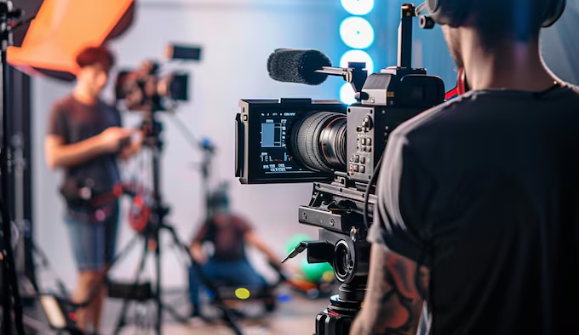
When we are working on local video production, one thing almost always comes up… multiple cameras. Sounds great, right? More angles, more coverage, more options. But then we open the footage and suddenly everything looks… different. Colors do not match, brightness feels off, one shot looks warm, another looks cold. Ugh, we have all been there.
So how do we fix it without losing our sanity? Let us walk through it together, step by step, like we would in a real editing session.
Start With the Right Mindset (Yes, It Matters)
Before touching any tools, we need to accept something… no two cameras will ever look exactly the same straight out of the box.
Even if they are the same model.
Different lighting, angles, settings… all of it affects the final look. So instead of chasing perfection, we aim for consistency. That is the real goal.
Organize Everything First… Seriously
We know it is tempting to jump straight into editing, but trust us… a little organization saves hours later.
Group clips by camera. Label them clearly. If one camera is your main shot, mark it. That becomes your reference point.
Think of it like this… one camera leads, the others follow.
Pick a “Hero Shot”
Here is a simple trick that works every time.
Choose one clip that looks the best overall. Good lighting, nice skin tones, balanced exposure. That becomes your “hero shot”.
Now, instead of adjusting everything randomly, we match all other clips to this one.
It gives direction. And honestly, it makes the whole process less chaotic.
Fix Exposure First… Always
Before touching colors, check brightness.
If one clip is darker and another is too bright, color matching will never feel right. So we adjust exposure, contrast, and highlights first.
Do not overthink it. Just make sure the clips feel like they belong in the same scene.
White Balance Is Your Best Friend
This step changes everything.
Sometimes one camera looks a bit blue, another slightly yellow. That is white balance doing its thing.
We tweak temperature and tint until skin tones feel natural across all clips. Not perfect… just natural.
A small adjustment here can fix a lot of problems.
Match Colors… But Keep It Real
Now comes the part most people worry about… color matching.
We do not need to go crazy with advanced tools. Start simple. Adjust saturation, tweak hues, and slowly bring clips closer together.
And here is something we have learned the hard way… do not chase identical colors. It rarely works.
Instead, aim for a similar feel.
If the viewer does not notice the difference, we have done our job.
Use Scopes If You Can… But Trust Your Eyes Too
Scopes can help… they show color and brightness levels in a more technical way.
But at the same time, we are making videos for people, not machines.
So yes, use scopes if you know them. But also step back and just watch the footage. Does it feel right? That matters more.
Apply Light Color Grading at the End
Once everything matches, we can add a light color grade.
This is where we give the video a consistent mood… maybe warm, maybe slightly cinematic, maybe clean and bright.
Since all clips are already matched, the grade will apply smoothly across the entire video.
And it looks… well, polished.
Do Not Forget to Check Transitions
Quick tip that many people skip.
Watch cuts between camera angles carefully. That is where mismatches are most obvious.
If a jump feels distracting, go back and tweak that specific clip. Sometimes even a tiny adjustment fixes it.
Why This Matters for Professional Work
When we look at high-quality content, we rarely notice color matching. That is the point.
But when it is off… it is the first thing people feel, even if they cannot explain it.
That is why experienced editors and even local video production companies put so much effort into this step. It quietly shapes the entire viewing experience.
Final Thoughts
Matching footage is not about perfection… it is about harmony.
We are blending different pieces into one smooth story. And once you get the hang of it, it actually becomes kind of satisfying.
A bit like solving a puzzle… except the reward is a video that just feels right.
FAQs
1. Why do different cameras produce different colors?
Because of differences in sensors, settings, and lighting conditions. Even identical cameras can look different if settings are not matched during shooting.
2. Can we match footage without professional software?
Yes, basic editing tools can handle exposure and color adjustments. Advanced tools help, but they are not always necessary.
3. What is the easiest way to start matching clips?
Pick one reference clip and match all others to it. It keeps the process simple and consistent.
4. Should we use LUTs for matching footage?
LUTs can help, but they are not a complete solution. It is better to first manually match exposure and white balance, then apply LUTs if needed.
5. How do we know if our footage is properly matched?
Watch the video as a whole. If cuts feel smooth and nothing looks distracting, you are on the right track.