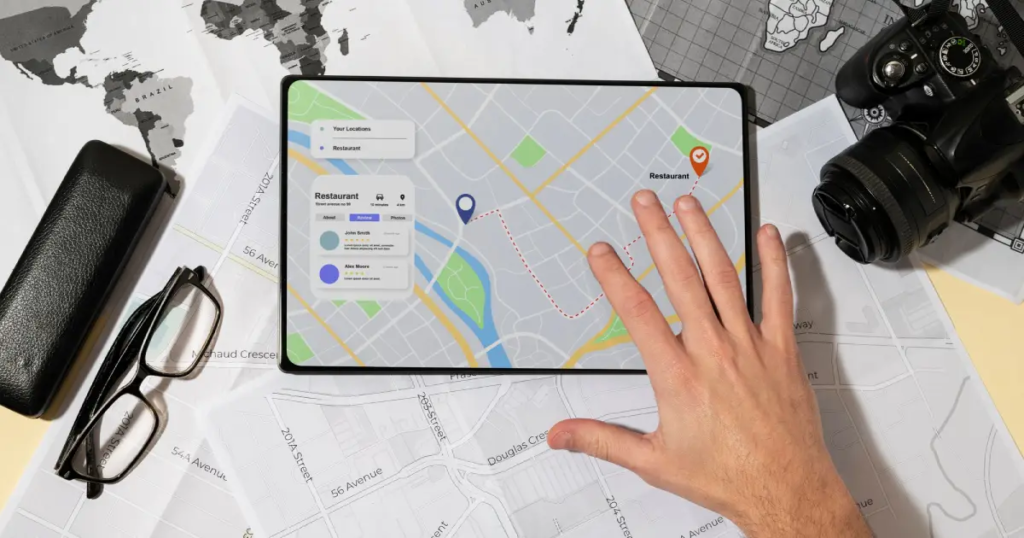
Finding an exact place on a map shouldn’t feel like solving a puzzle. Yet, many users still struggle when addresses are unclear, new roads aren’t listed, or landmarks don’t have names. That’s where learning how to drop a pin in Google Maps becomes incredibly useful. This top skill saves time, avoids confusion, and helps you share precise locations with ease—whether you’re guiding a delivery driver in Kochi or meeting friends in Bengaluru.
As one of the best digital-first SEO companies in Kerala, we’ve analyzed what high-performing content does right—and where it often falls short. This guide is designed to go deeper, stay clearer, and feel more human. No fluff. No robotic steps. Just practical help you can actually use.
Why Dropping a Pin in Google Maps Matters More Than Ever
Maps have evolved far beyond simple navigation tools. Today, Google Maps is a daily companion for travel, business, food delivery, logistics, and even emergency services. Still, auto-generated addresses aren’t always reliable.
Dropped pins solve problems like:
- Locations without formal addresses
- Newly built roads or apartments
- Meeting points inside large campuses
- Remote or rural destinations
When you know how to drop a pin in Google Maps, you’re not limited by what the map “recognizes.” You decide the exact spot.
Understanding What a Dropped Pin Actually Does
Before jumping into steps, let’s clear up a common misconception. A dropped pin isn’t just a marker—it’s a reference point. Once placed, it allows you to:
- Get accurate directions
- Share a location instantly
- Save places for later
- Measure distances
- Add context where addresses fail
This makes dropped pins especially useful for businesses, travelers, real estate professionals, and anyone coordinating meetups.
How to Drop a Pin in Google Maps on Android Devices
Android users have it simple, but there are a few tricks most people miss.
Step-by-Step for Android
- Open the Google Maps app
- Navigate to the general area
- Tap and hold on the screen
- A red pin appears with location details at the bottom
That’s it. You’ve successfully learned how to drop a pin in Google Maps on Android.
Pro Tip for Better Accuracy
Zoom in as much as possible before dropping the pin. The closer you are, the more precise your location becomes—especially helpful in crowded urban areas.
How to Drop a Pin in Google Maps on iPhone
iOS users follow nearly the same process, but the interface feels slightly different.
Steps for iPhone Users
- Launch Google Maps
- Search or manually move to the location
- Press and hold on the exact spot
- The pin drops, showing coordinates and options
From here, you can save, share, or navigate with confidence.
Using a Desktop or Laptop to Drop a Pin
Not everyone uses mobile devices all the time. If you’re planning a trip or sharing directions via email, desktop is your friend.
Desktop Method
- Visit Google Maps on your browser
- Left-click on the desired location
- A grey pin appears instantly
- Click it to view details
Desktop pins are perfect for planning routes, embedding maps, or sharing links professionally.
Sharing a Dropped Pin Without Confusion
Once the pin is placed, sharing it correctly is just as important.
Best Ways to Share
- Tap Share Location
- Copy the generated link
- Send directly via WhatsApp, email, or SMS
This eliminates vague directions like “near the big tree” or “behind the old shop.”
Saving Pins for Future Use
Dropped a pin you’ll need again? Save it.
How Saving Helps
- Creates custom travel lists
- Helps businesses track client locations
- Useful for frequently visited places
Saved pins sync across devices when you’re logged into the same Google account.
Dropped Pins vs Searched Locations: What’s Better?
High-ranking pages often skip this comparison, but it’s crucial.
| Feature | Searched Address | Dropped Pin |
| Accuracy | Depends on database | User-defined |
| Remote Areas | Often missing | Always works |
| Custom Spots | Limited | Unlimited |
| Sharing | Sometimes unclear | Precise |
If accuracy matters, dropped pins always win.
Common Mistakes People Make While Dropping Pins
Even simple tools can go wrong if used carelessly.
- Dropping pins without zooming in
- Sharing screenshots instead of links
- Forgetting to save important locations
- Assuming the pin equals the nearest address
Avoid these, and your navigation experience improves instantly.
Using Dropped Pins for Business and Marketing
Businesses can unlock serious value by mastering how to drop a pin in Google Maps.
Real-World Uses
- Guiding customers to offices in complex locations
- Helping delivery teams find exact entrances
- Supporting local SEO visibility
- Improving customer experience
For service-based businesses in Kerala, this small step can reduce missed appointments and increase trust.
Dropped Pins and Travel Planning
Travelers love dropped pins for a reason.
- Mark viewpoints
- Save food spots
- Plan walking routes
- Share itineraries
Instead of bookmarking vague names, you save exact places you loved—or want to explore.
Troubleshooting When Pin Dropping Doesn’t Work
Sometimes, the pin doesn’t appear. Here’s why:
- App not updated
- Location services disabled
- Map not fully loaded
- Weak internet connection
Quick fix? Refresh the app, zoom in, and try again.
Privacy Considerations You Should Know
Dropped pins don’t automatically share your live location. You stay in control.
- Sharing is manual
- Pins don’t track movement
- Saved pins remain private unless shared
This balance makes Google Maps both powerful and safe.
Learning More: A Helpful Internal Resource
If you’d like a visual walkthrough and additional tips, this detailed guide is worth bookmarking:
👉 https://techpullers.com/blogs/how-to-drop-pin-google-maps.php
It complements everything you’ve read here and dives deeper into practical use cases.
Clear locations. Smarter navigation. Real results—powered by Techpullers and perfected through how to drop a pin in Google Maps.
FAQs: Quick Answers People Often Look For
How accurate is a dropped pin in Google Maps?
Very accurate, especially when placed at maximum zoom. It uses GPS coordinates rather than named locations.
Can I drop multiple pins in Google Maps?
You can drop one active pin at a time, but you can save multiple locations for later access.
Is it possible to drop a pin without internet access?
You need an internet connection to load maps initially, but saved offline maps allow limited functionality.
How do I remove a dropped pin?
Tap anywhere else on the map or close the location card to remove the pin.
Can I drop a pin inside buildings or malls?
Yes, but accuracy depends on indoor mapping availability and GPS strength.
Why should businesses learn how to drop a pin in Google Maps?
It improves customer navigation, reduces confusion, and enhances overall brand experience.