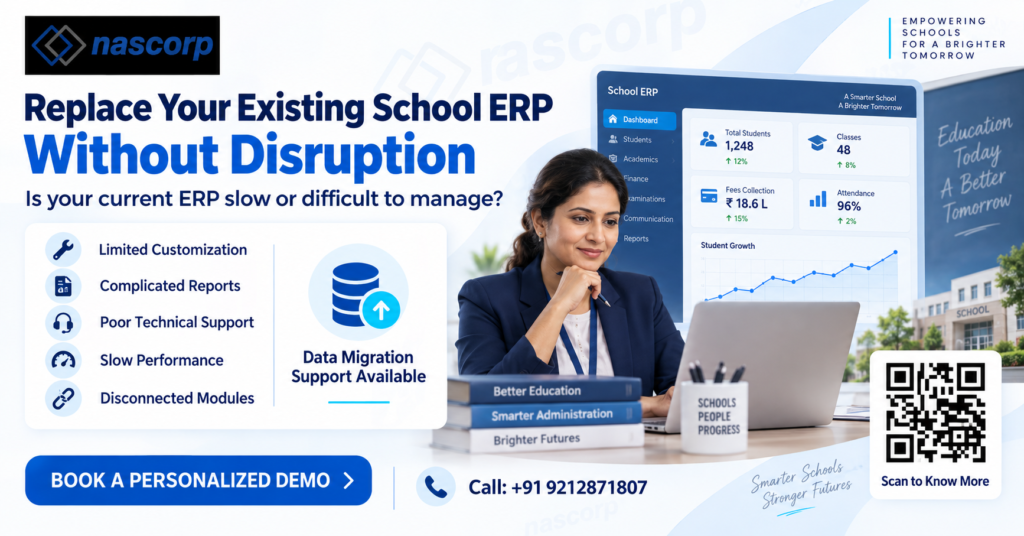
Choosing the right School ERP software provider is an important decision for any educational institution. The selected platform may manage student records, admissions, fees, attendance, examinations, report cards, parent communication, transport, HR, payroll and several other daily operations.
However, numerous School ERP software providers in India offer different modules, pricing plans and support services. Comparing providers only on price can result in limited features, unexpected costs, poor implementation or difficulty switching systems later.
Schools should compare ERP providers based on their actual requirements, number of students, existing processes and future growth plans. This guide explains the most important factors to consider before making a decision.
What Is School ERP Software?
School ERP software is a centralized digital platform used to manage academic, administrative and financial activities. It connects different school departments and stores information in a unified system.
A comprehensive School ERP solution may include:
- Admission and enquiry management
- Student information management
- Online fee collection
- Attendance management
- Examination and report card management
- Homework and lesson planning
- Parent-teacher communication
- Transport and GPS tracking
- Library management
- Inventory management
- HR and payroll
- Mobile apps for parents, teachers and administrators
- School MIS reports and dashboards
- Multi-branch school management
Although many providers offer similar module names, the actual capabilities, customization options and ease of use can differ significantly.
Why Should Schools Compare ERP Providers?
Implementing an ERP affects almost every department of a school. A system that works well for a small school may not meet the requirements of an institution with more than 1,000 students or multiple branches.
A proper comparison helps schools:
- Avoid unnecessary modules and hidden charges
- Understand implementation and training requirements
- Check whether the system can manage future growth
- Evaluate data security and backup policies
- Confirm mobile-app availability
- Review technical support quality
- Plan migration from an existing ERP
- Select software that employees can use comfortably
The objective should not be to find the cheapest product. Schools should select an ERP that offers suitable functionality, dependable support and long-term value.
Key Factors for Comparing School ERP Software Providers in India
1. Available ERP Modules
Begin by creating a list of essential and optional modules. A small institution might initially require student records, fees, attendance and examinations. A large school may also need transport, HR, payroll, inventory, analytics and multi-branch management.
Ask every provider whether the modules operate within one integrated system. Disconnected modules can create duplicate records and make reporting difficult.
2. Customization Capabilities
Every school follows slightly different workflows. Fee structures, report-card formats, admission processes and approval systems may vary according to the board and institution.
The provider should explain which parts of the software can be customized. Schools must also confirm whether customization is included in the package or charged separately.
3. Cloud-Based Accessibility
Cloud-based School ERP software allows authorized users to access the system through the internet. It can be useful for institutions operating from multiple locations or providing remote access to management and staff.
Schools should compare:
- System availability and uptime
- Data hosting arrangements
- Backup frequency
- Browser and device compatibility
- Role-based access control
- Disaster-recovery procedures
Cloud access should be supported by strong security policies and clearly defined user permissions.
4. Mobile App Functionality
A parent mobile app has become an important component of modern school management software. It helps parents access attendance, homework, circulars, examination schedules, results and fee information.
Do not evaluate the ERP only through its desktop demonstration. Ask for a live demonstration of the parent, teacher and administrator applications.
Check whether the application supports:
- Push notifications
- Online fee payment
- Attendance information
- Homework and assignments
- Examination results
- Announcements and circulars
- Leave requests
- Parent-teacher communication
- Multiple children under one account
5. User Experience and Training
Complex software can increase workload instead of reducing it. Teachers, accountants, administrators and management should be able to perform their regular tasks without navigating through confusing screens.
During the demonstration, ask actual users from different departments to test relevant workflows. The provider should also offer proper onboarding, user training and documentation.
6. Implementation Process
School ERP implementation requires planning, configuration, data preparation, user creation, testing and training. Request a clear implementation timeline before signing an agreement.
A reliable implementation plan should cover:
- Requirement gathering
- Process and module mapping
- Software configuration
- Existing data collection
- Data cleaning and migration
- User-role configuration
- Department-wise training
- Testing and validation
- System launch
- Post-launch assistance
Schools should identify who will manage the implementation from both sides.
7. Existing Data Migration
Institutions replacing an existing ERP must carefully evaluate data-migration support. Student profiles, fee transactions, academic records, employee details and other historical information may need to be transferred.
Ask the provider:
- Which records can be migrated?
- What format is required?
- Who will clean and validate the data?
- How will errors be handled?
- Will the original records remain available?
- Is migration included in the quotation?
Schools should take a verified backup before beginning any migration.
8. Reports and Analytics
A School ERP should turn operational data into useful information. Management may require reports related to fee collection, outstanding dues, attendance trends, admissions and academic performance.
Compare the availability of:
- School performance dashboards
- Student progress reports
- Fee collection summaries
- Defaulter reports
- Attendance analysis
- Admission conversion reports
- Examination analytics
- Teacher-related reports
- Branch-wise comparisons
- Custom MIS reports
If a school requires a specific report, it should be demonstrated before purchase.
9. Technical Support
Even well-designed software requires ongoing support. Schools should compare support channels, working hours, escalation processes and expected response times.
Support may be provided through:
- Phone
- Helpdesk tickets
- Remote assistance
- On-site visits
Ask whether ongoing support, updates and retraining are included in the annual cost.
10. Data Security
School ERP platforms store sensitive information about students, parents, employees and financial transactions. Therefore, data security must be an essential part of the selection process.
Providers should explain their approach to:
- Encryption
- Secure authentication
- User permissions
- Activity logs
- Regular backups
- Server security
- Data restoration
- Employee access
- Data export and ownership
Schools should also confirm whether they can obtain their complete data if they discontinue the service.
School ERP Provider Comparison Table
| Comparison factor | Questions schools should ask |
|---|---|
| Modules | Are all required academic and administrative modules available? |
| Customization | Can workflows, report cards and fee structures be customized? |
| Scalability | Can the ERP support more students, users and branches? |
| Mobile apps | Are separate apps available for parents, teachers and administrators? |
| Integration | Can it connect with payment gateways, biometric devices or GPS systems? |
| Implementation | What is the expected implementation timeline? |
| Data migration | Which historical records can be transferred? |
| Training | Is department-wise training included? |
| Support | What support channels and response times are available? |
| Reporting | Are custom dashboards and MIS reports supported? |
| Security | How are access, backups and data recovery managed? |
| Pricing | What is included, and which services cost extra? |
| Exit policy | Can the school export its complete data when required? |
How to Compare School ERP Pricing
The cost of School ERP software in India may depend on the number of students, selected modules, branches, mobile applications, customization and support level.
Providers may use different pricing models, including:
- Per-student pricing
- Annual subscription
- Module-based pricing
- Branch-wise pricing
- One-time implementation charges
- Separate mobile-app charges
- Custom development charges
- Data-migration charges
Schools should request an itemized quotation instead of considering only the final amount.
The quotation should clearly mention:
- Included modules
- Number of users and students
- Implementation charges
- Training costs
- Data-migration costs
- Mobile-app costs
- Payment-gateway charges
- Customization charges
- Annual renewal
- Support and maintenance
- Applicable taxes
A lower initial quotation may become expensive if essential services are charged separately.
Questions to Ask During a School ERP Demo
A demonstration should be based on real school workflows rather than a general product presentation. Schools can ask the provider to demonstrate:
- Creating a new student admission
- Configuring a fee structure
- Recording and correcting attendance
- Generating examination results
- Creating a report card
- Sending a parent notification
- Viewing outstanding fees
- Restricting access according to user roles
- Generating management reports
- Managing more than one branch
- Using the parent and teacher apps
- Exporting school data
The demonstration should involve administrative staff, teachers, accountants, IT personnel and management representatives.
How to Shortlist the Best School ERP Provider
Schools can use a structured selection process:
Step 1: Document Requirements
Collect requirements from admissions, accounts, academics, transport, HR and management teams.
Step 2: Shortlist Relevant Providers
Select providers that have suitable modules and experience working with institutions of a similar size.
Step 3: Request Customized Demonstrations
Ask shortlisted providers to demonstrate the school’s most important processes.
Step 4: Obtain Detailed Quotations
Compare inclusions, exclusions, renewal charges and long-term costs.
Step 5: Check Support and References
Request client references and understand how support issues are handled.
Step 6: Conduct a Pilot Test
If possible, test essential modules with limited users before a complete rollout.
Step 7: Confirm the Agreement
Ensure the agreement covers implementation, migration, support, security, data ownership and exit terms.
Common Mistakes to Avoid
Schools frequently experience ERP-related problems when decisions are made too quickly. Common mistakes include:
- Selecting a provider only because of low pricing
- Purchasing modules without documenting requirements
- Ignoring staff usability
- Not checking the mobile app
- Failing to clarify data-migration responsibilities
- Overlooking renewal and customization charges
- Not confirming data-export options
- Accepting a general demo without testing real workflows
- Launching the system without sufficient training
- Choosing software that cannot support future branches
These issues can be reduced through careful evaluation and written confirmation.
Conclusion
When schools compare School ERP software providers in India, they should examine more than modules and pricing. Implementation quality, customization, mobile access, data migration, training, reporting, security and technical support are equally important.
The best School ERP software is not necessarily the platform with the longest feature list. It is the solution that matches the institution’s current processes, remains easy for employees to use and supports its future growth.
Schools planning to implement, replace or upgrade their ERP should request requirement-based demonstrations and detailed quotations from shortlisted providers. A systematic comparison can help them select a reliable platform while avoiding operational difficulties and unexpected expenses.
Looking for an integrated School ERP solution? Explore Nascorp Technologies and request a personalized demonstration based on your school’s requirements.
Frequently Asked Questions
What should schools compare when selecting an ERP provider?
Schools should compare modules, customization, scalability, mobile applications, implementation, data migration, technical support, reporting, security and total ownership cost.
How can a school compare ERP quotations?
Compare itemized costs for software modules, implementation, migration, training, mobile apps, customization, annual renewal and support. Also check the services excluded from the quoted price.
Can a school replace its existing ERP without losing data?
Existing records can usually be transferred when the new provider offers structured data-migration support. The feasibility depends on the quality, format and accessibility of the old data.
Is cloud-based School ERP suitable for multiple branches?
A scalable cloud ERP can centralize information from multiple branches while providing branch-wise access, reporting and administrative controls.
Why is a live ERP demonstration necessary?
A live demonstration helps staff evaluate usability and verify whether the software can manage the school’s actual admission, fee, attendance, examination and reporting workflows.