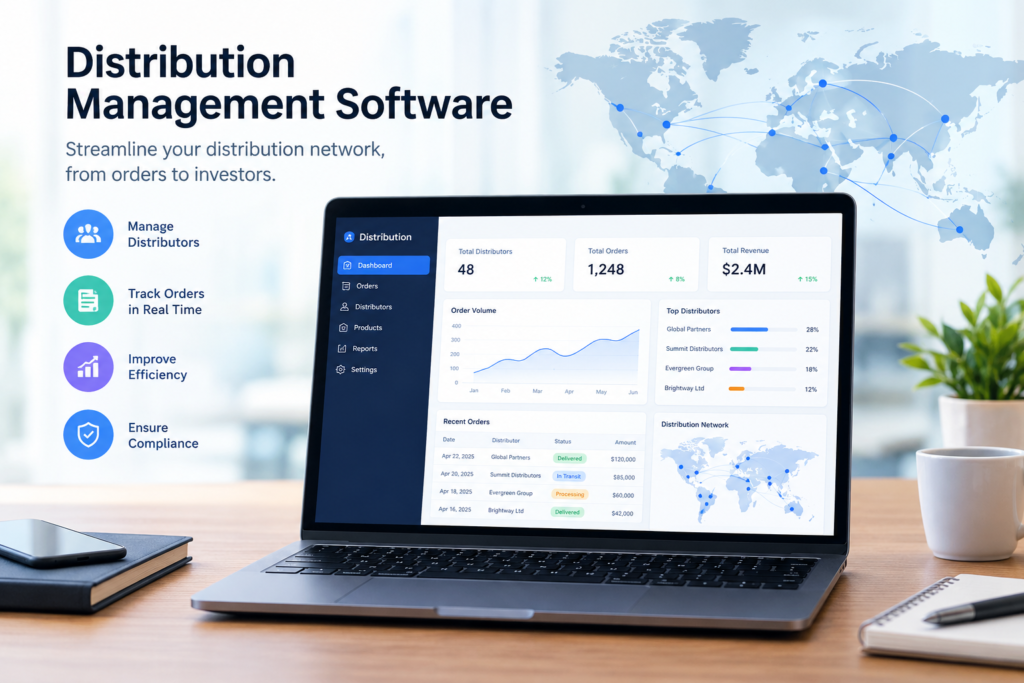
Managing orders, inventory, and deliveries across a distribution operation can become increasingly complex as a business grows. Teams need to coordinate incoming orders, monitor stock levels, prepare shipments, and make sure products reach customers on time. Managing these processes through disconnected spreadsheets or manual systems can make it harder to maintain accurate information.
Distribution management software provides a centralized platform for organizing these activities. By connecting order management, inventory tracking, and delivery operations, businesses can improve visibility and create a more organized distribution workflow.
Centralize Order Management
Distribution teams may receive orders through multiple channels, including sales representatives, online platforms, customers, and business partners. Keeping track of these orders manually can create unnecessary administrative work.
Distribution management software brings order information into a centralized system. Teams can review order details, monitor order status, and coordinate fulfillment from one location.
Having a clear overview of incoming and active orders can also help teams identify delays or issues before they affect customers.
Maintain Better Inventory Visibility
Accurate inventory information is essential for distribution operations. Teams need to know what products are available, where they are stored, and when stock levels require replenishment.
Distribution management software can provide real-time or regularly updated visibility into inventory levels. Depending on the system, businesses may be able to track products across warehouses, locations, or distribution centers.
Better inventory visibility can help reduce situations where products are unavailable when an order needs to be fulfilled.
Coordinate Order Fulfillment
Once an order is received, distribution teams need to move it through the fulfillment process efficiently. This may include picking products, packing shipments, preparing documentation, and assigning deliveries.
A centralized software system can help teams organize these steps and maintain a clear record of order progress. Employees can see which orders are pending, being prepared, shipped, or completed.
This structured approach can make fulfillment easier to monitor as order volumes increase.
Improve Delivery Management
Deliveries are an important part of the customer experience. Distribution teams need to coordinate drivers, delivery schedules, destinations, and shipment information.
Distribution management software can help organize delivery information and provide greater visibility into shipment status. Depending on the platform, businesses may also have tools for route planning, delivery tracking, and driver management.
Having delivery information available in one system makes it easier for teams to monitor shipments and respond when problems occur.
Reduce Manual Data Entry
Manual data entry across multiple systems can take considerable time and increase the risk of inconsistent information. An order may need to be entered into one system, inventory updated in another, and delivery details recorded somewhere else.
Distribution management software can connect these processes so that information can move more efficiently throughout the workflow.
Reducing repetitive administrative tasks allows distribution employees to focus more on fulfillment, customer service, and operational activities.
Support Warehouse Operations
Warehouses play a central role in distribution. Teams need to know where products are located and which items need to be picked for specific orders.
Distribution management software can provide tools for organizing warehouse inventory and monitoring product movement. Depending on the system, businesses may also use barcode scanning, warehouse management features, and inventory alerts.
These capabilities can help warehouse teams work from more accurate and accessible information.
Monitor Distribution Performance
Managers need visibility into operational performance to understand how efficiently orders and deliveries are being handled.
Distribution management software can provide reports and dashboards covering areas such as order volumes, inventory levels, fulfillment activity, delivery status, and other operational metrics.
These insights can help managers identify recurring bottlenecks and review processes that may need improvement.
Connect Different Distribution Activities
One of the key advantages of distribution management software is the ability to connect activities that are often handled separately.
Orders influence inventory requirements. Inventory availability affects fulfillment. Fulfillment determines when shipments can be prepared, while delivery coordination affects when customers receive their orders.
Connecting these processes gives teams a more complete view of the distribution cycle and can make coordination easier.
Scale Distribution Operations
As businesses grow, distribution operations often become more difficult to manage. More customers, products, warehouses, orders, and delivery locations can increase operational complexity.
A centralized software platform can provide a structured foundation for managing this growth. Teams can maintain consistent processes while gaining better visibility into orders, inventory, and deliveries.
The right system can therefore support distribution operations as business requirements evolve.
Conclusion
Managing orders, inventory, and deliveries requires coordination across multiple stages of the distribution process. Distribution management software brings these activities together, helping businesses organize orders, monitor inventory, coordinate fulfillment, and track deliveries.
By centralizing operational information and reducing reliance on manual processes, distribution teams can gain greater visibility into day-to-day activities and create a more structured approach to managing their distribution operations.