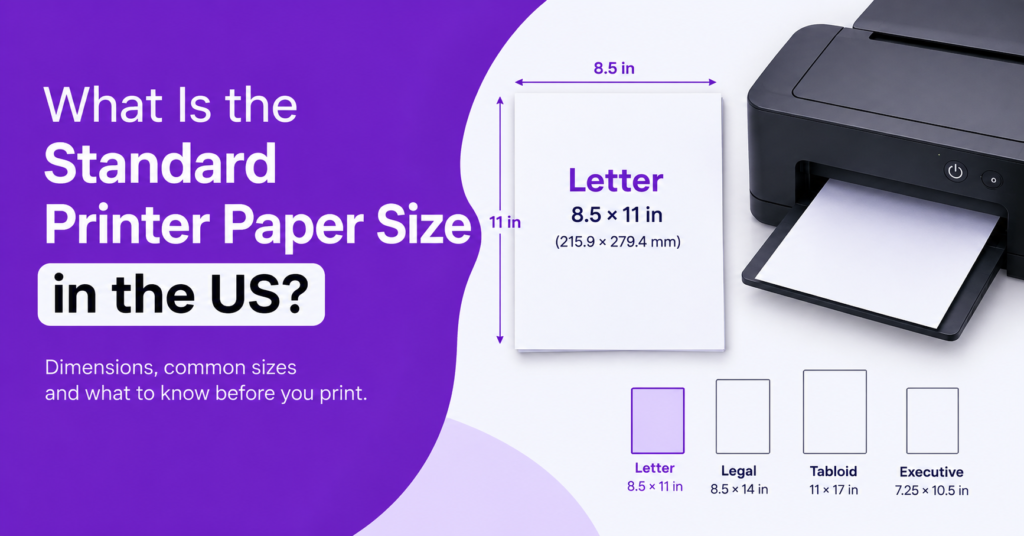
The standard size of printer paper in the USA is Letter size (8.5 × 11 inches or 215.9 × 279.4 mm). It is also the most common medium for print-on-demand printing, such as office documents, school assignments, business letters, invoices, and personal papers. While there are a number of different sizes that printers can accommodate, the most common size printable at home or in the office in the U.S. is Letter size.
Knowing the size of printer paper can help you choose the right settings, prevent printing mistakes, and get your documents to print correctly.
What is the normal size of printer paper?
The standard printer paper size used in the United States is Letter, which is measured in portrait format at 8.5″ wide by 11″ high. It’s the most popular size for most printers sold in the United States, and it is used for most documents.
The term “printer paper” refers to standard letter size paper unless otherwise requested.
The following are common uses of letter paper:
- Business letters and reports
- School tasks and worksheets.
- Application forms and resumes
- Invoices, receipts, and office documents
- Home printing for everyday use.
The typical size of a printer page in the US is 8.5 × 11 inches. The actual size will vary, however, according to the paper size chosen in the back of the printer and the document type being printed.
What Are the Dimensions of Standard Printer Paper?
The standard dimensions of printer paper are 8 1/2 x 11. Standard printer paper is 8 1/2 x 11.
US Letter size printer paper is 8.5 x 11 inches. The width and height are measured by the size of the paper itself and not the size of the area that is printable on each printer.
The Standard measurements are as follows:
- Width: 8.5 inches
- Height: 11 inches
- Millimeters: 215.9 × 279.4 mm
- Centimeters: 21.59 × 27.94 cm
The dimensions of printer paper are useful when setting up a document in Microsoft Word, Google Docs, Acrobat, or other printing software.
If your document is to be printed on A4-size paper but your printer is set to print on Letter paper, for instance, the text will be slightly shifted, scaled down, or printed elsewhere. Choosing the right paper size before printing will avoid this problem.
Why is the paper used in letters standard in the United States?
Established office, business, and administrative practices have resulted in the common use of letter paper in the United States. This is still commonly used because its size is suitable for everyday documents and doesn’t require using oversized sheets.
Businesses use Letter paper for their letters, contracts, and reports as well as their invoices. It’s frequently used in school and university assignments and handouts, as well as in homes for forms, personal documents, and online printouts.
The A-series is the standard in many countries, especially in Asia, but in the USA, Letter paper is used extensively.
This difference is important if documents are made in another country or if you download files for international use.
What’s the difference between Letter and A4?
There are two popular sizes of paper: Letter and A4, both of which are different.
US Letter paper measures 8.5 × 11 inches, while A4 paper measures 210 × 297 mm (approximately 8.27 × 11.69 inches).
Letter paper is a bit wider, while A4 paper is longer. This means that a document that is suitable for one size may not fit another size without any changes being made.
Print standard US office documents on Letter paper. Use A4 – if this is the standard format for the document or for international business documents or forms.
For those who tend to print files from various countries more often, look at the page setup before printing to prevent text from being cut off, margins that are off, or extra pages.
Other Common Printer Paper Sizes in the US
Letter is the standard size of printer paper, but other sizes can be helpful for certain print jobs.
1. Legal Size
Legal paper is 8.5″ x 14″. It is longer than Letter paper and is commonly used for legal papers, contracts, and any paperwork requiring more vertical space.
2. Tabloid Size
Tabloid paper is 11 x 17″. It’s often used for newsletters, posters, diagrams, and other documents that require more space for text or graphics.
3. Executive Size
The dimensions of an executive paper are 7.25 × 10.5 inches. Smaller than letter, it can be used for some business correspondence, stationery, and special documents.
Always check that your printer can handle the size you’re printing, and that the paper tray (or trays) are set up properly before you print on any of these sizes.
How to choose the right size of printer paper?
When deciding on the right size of printing paper, there is more than simply loading a sheet into the printer. The settings for your document and printer should be the same as the physical paper.
Follow these steps:
- Check the document settings: Open your document in Word, Google Docs, or any other application and select page setup options.
- Specify the proper size: If a US size document was intended, use Letter (8.5 × 11) size; otherwise, use the other format.
- Check the printer properties: Ensure the print dialog is showing the paper size that you want: Open the print dialog and double-check that you have the correct paper size selected.
- Align the Paper Tray: Place the appropriate paper into it and position the paper tray guides to make sure the paper is aligned.
- Preview the document: margins, page breaks, and placement of text before printing.
If the printer shows a warning of paper size mismatch, check the paper size settings in the application and in the printer driver. If these settings do not match, the print job may not print or may be printed incorrectly.
What If Your Printer is Using the Wrong Paper Size?
If the paper size is set wrong, it could result in pages being cut off, margin sizes being larger than they should be, blank pages, or printing problems. You may, for instance, load Letter paper and then choose A4 in the software, which might cause this.
First, review the page size, printer settings, and paper tray preferences of the document. If the problem persists, repeat the above steps; restart the printer and computer and check if the printer driver needs to be updated.
If the paper size continues to be wrong, it could also mean that there’s a problem with the configuration or the printer itself, and further troubleshooting may be necessary.
If you have recurring printing problems, consider reaching out DeviceFixes printer repair services to get expert help for printer problems.
In conclusion
The standard size of paper laid down in the United States is Letter which comes to a size of 8.5 by 11 inches in size. This is the most common option that is used for any type of printing at home, school, or office whereas Legal, Tabloid, and Executive should be used for some specific printing needs.
The knowledge of the size of paper helps you format your documents accordingly, ensure the expected printer settings, and eliminate some typical printing issues. Make sure that the paper loaded in the paper tray matches the selected size either in your document or in your printer settings before the printing process.
Related Articles
Software and SaaS Development Strategies to Stay Ahead in a Competitive Market
AI Automation for Small Businesses: Use Cases, Tools, Limitations