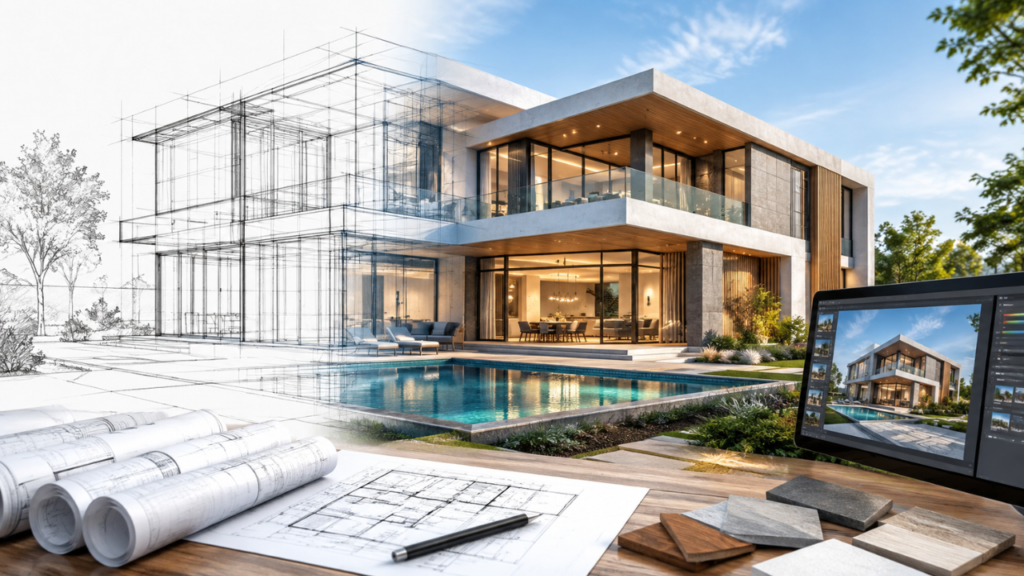
A commercial architectural rendering project brief is a written set of instructions that tells a visualization team what a client needs and how the final image should represent the project. A thorough brief covers perspective, views, source files, and expected output, so the client, architect, developer, and marketing team all work from the same scope.
Without a brief, projects often run into misdirected work, unreconciled changes, cost overruns, and, most damaging of all, missed deadlines. Preparing the brief early builds the design intent into the rendering scope from the start.
At McLine Studios, we have worked on a wide range of design and construction projects. In our experience, a well-organized 3D rendering project helps design and construction teams align their scopes and integrate the design into the build. This guide explains what a commercial 3D visualization brief should address and includes a checklist you can reuse on future projects.
What Is a Commercial Architectural Rendering Brief?
An architectural rendering brief is the information a client gives a visualization studio before production begins. It typically combines the project scope with a description of the design intent, and it may also include:
- Material and finish preferences
- Site context
- Camera and lighting requirements
- The type and quantity of people, vehicles, and landscaping
- Output type and size
- Deadlines and revision preferences
Why Commercial Projects Need a Detailed Brief
Commercial projects involve more stakeholders and more approval levels than residential ones, which makes a comprehensive brief especially important. A detailed brief typically:
- Aligns architects, designers, and stakeholders on the project
- Limits the need for revisions
- Defines scope and cost
- Reduces the time required to produce renders
- Delivers a consistent visual result
- Improves communication between design and rendering teams
Because so many stakeholders contribute to commercial visualization, the completeness of the brief directly affects project success.
10 Essential Elements of a Commercial Rendering Brief
1. Project Overview and Building Type
Begin with the project name, location, stage, building type, and approximate size. What the building will house influences how it is designed and how it should be shown. A hotel and a retail space call for very different interpretations, as do a small hotel and a large retail space. Sharing this context early saves time and guides every decision that follows.
2. Project Goals and Intended Use of the Images
Explain where the renderings will be used, such as:
- Investor presentations
- Planning or approval meetings
- Client presentations
- Leasing or pre-sale packages
- Marketing collateral, websites, brochures, and social media
Intended use shapes composition, image size, and level of detail. Marketing collateral may need higher resolution than web images, and an image for a zoning board must be more accurate than one for a leasing brochure.
3. CAD, BIM, and Design Files
Provide AutoCAD, Revit, or SketchUp files, 3D models, floor plans, elevations, sections, site plans, and material boards. Design files are revised often, so identify which ones reflect the latest approved design. If several disciplines supply conflicting information, state which takes priority. Accurate source files are the basis of an accurate rendering.
4. Materials, Finishes, and Specifications
List the materials and finishes for the façade, flooring, walls, roof, glazing, metal, wood, stone, furniture, and fittings. Include material boards, plus product names and finish codes where available. Precise material information removes ambiguity and prevents texture inconsistencies during production.
5. Camera Angles and Required Views
Identify the views you need, for example:
- Street and hero views
- Aerial or drone views
- Entrance and corner views
- Interior and common-area views
- Site and parking views
- Views of the surrounding area
Reference photos, sketches, or diagrams showing camera positions make your expectations clear, reduce revision requests, and keep production efficient.
6. Site Context and Surroundings
Describe the built and natural environment around the project: buildings, roads and bridges, transportation, land use, topography, vegetation, and streetscape elements. For commercial work, include surrounding land uses, neighboring buildings, setbacks, and the width of the public right-of-way. Site-specific detail gives the design a sense of place and keeps it from looking generic.
7. Interior Design and Space-Specific Requirements
Cover furniture, fixtures, finishes, decor, lighting, ceiling details, floor and wall treatments, branding, and expected occupancy. Indicate which spaces carry the most visual weight. A hotel lobby, for instance, matters more than a staff corridor. Interior details should also stay consistent with the exterior design.
8. Lighting, Time of Day, and Mood
Specify the time of day (daytime, dusk, or night), lighting type (natural or artificial), season, and overall mood, such as vibrant, cozy, or stern. Lighting direction and timing can change how a scene is read. A street shown in daylight looks very different from the same view at dusk with interior lights on, so this choice strongly affects how a photorealistic rendering expresses your vision.
9. People, Vehicles, Landscaping, and Supporting Details
State whether the scene should include people, vehicles, landscaping, signage, and similar elements, and whether it should show a few representative details or many. A reasonable number of these elements helps convey the intended use and commercial potential of the space.
10. Output Specifications, Deadlines, and Revision Rules
Define the technical and scheduling requirements:
- Final resolution and aspect ratio
- File format (JPG, PNG, TIFF, or PDF)
- Digital or print use, presentation or web
- Number of final views
- Deadline and key dates
- Number of revision rounds
- Delivery method
- Who makes the final decision on each revision
Open-ended sign-off is one of the main reasons schedules slip, so naming the decision-maker early helps prevent last-minute surprises.
Rendering Brief Checklist: What to Send With Your Brief
Use this checklist to confirm you have everything ready before submitting a brief for architectural rendering or project visualization.
| Item |
Why It Matters |
|
Project plans |
Establish dimensions and layout |
| Elevations | Show the exterior features of the design |
| Sections | Show how design elements relate to one another |
| CAD/BIM files | Show the design and its elements in detail |
| Site plan | Shows the setting and context |
| Sample board | Shows materials and finishes |
| Furniture schedule | Lists furnishings and fittings |
| Landscape plan | Shows planting and outdoor surroundings |
| Reference images | Communicate the design intent |
| Brand standards | Guide branded elements and visual consistency |
| Camera distances | Define the limits of each view |
| Output standards |
Define technical delivery requirements |
Most projects will not have all twelve items at the briefing stage, and that is fine. The goal of the briefing is to identify what is missing. The more information you provide up front, the fewer surprises you will face in production, and the smoother file review and the rendering agreement will be.
Exterior vs. Interior Rendering Briefs
How to Brief an Exterior Rendering
Exterior briefs should cover sight lines, site conditions, and views, as well as surrounding site walls, planting, signage, paving, and other adjacent built and unbuilt conditions. Time of day and sun altitude play a major role in how a site is perceived and rendered. Producing street scenes early in a project builds momentum and can help overcome initial hesitation about a design. Our 3D exterior rendering services are based on briefs like these.
How to Brief an Interior Rendering
Interior briefs should address function, design elements, finish materials, lighting, branding, occupancy, camera positions, and how spaces relate to one another. Understanding how a space will be used over time helps determine the best way to arrange and present it. Because interior elements differ so much from those that define an exterior, our 3D interior rendering team gathers interior information separately.
When to Include CAD Rendering in Your Brief
CAD rendering produces still images from digital representations of built environments. The client supplies technical plans, elevations, engineering drawings, or other 2D drawings. Requests can come at any project stage, and they are common in early design, when a client needs images for potential sponsors or other stakeholders.
In these cases, the client should provide:
- The software used to create the drawings
- The file format and drawing version
- Whether 2D drawings must be produced from 3D models
- The required level of detail
- The views requested
CAD rendering is quick and efficient. We use the information you provide to create marketing images of the views you request.
Common Commercial Rendering Brief Mistakes
- Submitting obsolete drawings
- Not stating the purpose of the render
- Being vague about camera positions
- Providing inadequate or no material information
- Overlooking site conditions
- Omitting performance requirements
- Being unclear about expected changes
- Treating exterior and interior conditions as equivalent
Most of these problems come from unclear requirements or insufficient client information, and a standardized brief format resolves them.
How a Clear Brief Streamlines the Rendering Workflow
Brief → File Review → Scope Confirmation → 3D Modeling and Scene Setup → Draft Rendering → Feedback → Revisions → Final Rendering
Every step relies on the information in the initial brief. Complete CAD files reduce the need for extended file review, and clearly defined views and goals make scope confirmation easier. The feedback stage can produce surprises if the client has not finalized details such as materials and lighting. Ultimately, the brief determines how smoothly the remaining steps run. Rendering providers of all sizes follow a similar process, which gives clients a realistic picture of timing at the start and at each stage through delivery.
How to Choose a Commercial Architectural Rendering Partner
Look for a partner with:
- An established architecture and AEC background
- Deep knowledge of both CAD and BIM
- Excellent written and verbal communication
- Clear revision and delivery procedures
- The ability to produce high-quality exterior and interior images in one integrated workflow
Above all, the studio should understand the commercial objectives of your project, including the difference between images made for leasing and those made for a planning submission. That understanding helps them ask the right questions during the briefing. McLine Studios works closely with architects and developers to help them achieve their commercial visualization goals.
Frequently Asked Questions
What should be included in a commercial architectural rendering brief?
A brief should cover the project overview and goals, source files, materials, camera settings, site context, lighting, and whether people or vehicles should appear. It should also specify the type of image output required.
What files are needed for commercial architectural rendering?
Typical files include floor plans, elevations, sections, material samples, and reference images.
How many views should a commercial rendering project include?
The number depends on the project. A typical package includes several exterior views of the site, one or more aerial views, and a number of interior views.
What information does a 3D rendering company need from an architect?
Rendering companies need approved plans, samples of the materials to be used, and details about the desired viewpoints.
Conclusion
A strong commercial rendering brief rests on five core elements: a clear objective, accurate source documents, a thorough description of materials and design, camera direction, and a defined end use and deadline. In our experience, providing these early helps us meet client expectations and deliver on time. McLine Studios can create commercial renderings directly from architects’ and developers’ drawings and documents. Contact us to explore our 3D architectural rendering services and get your next project started.