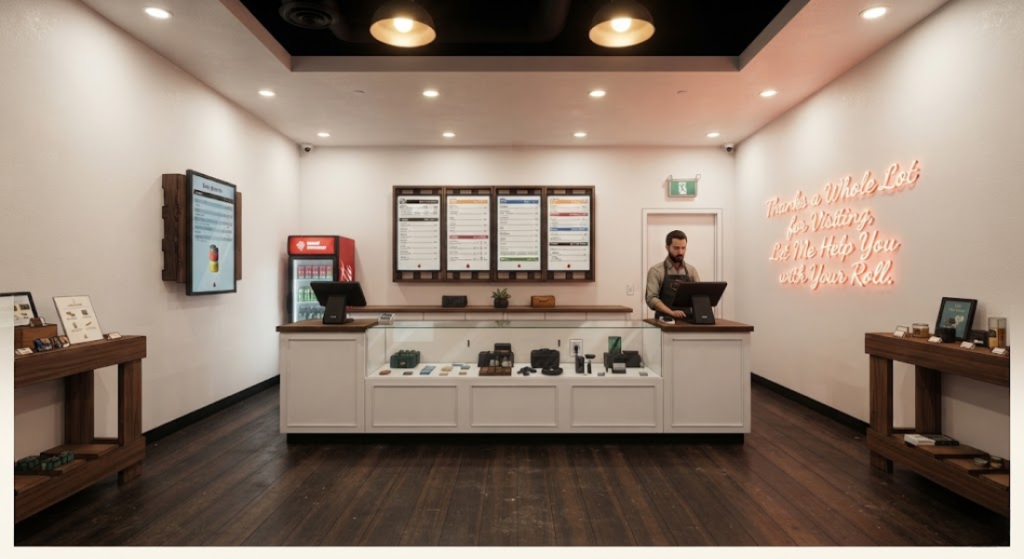
cannabis dispensary menu options
Cannabis dispensary menus serve several useful purposes beyond simply listing products that are for sale. The layout of a menu can impact how easily shoppers compare cannabis products, find the information they need, and progress through the purchasing process. For retailers building a streamlined in-store customer experience, selecting the right cannabis dispensary menu options is one important piece of an organized store.
Dispensaries can leverage a range of menu formats, from large digital displays to printed product sheets. The size and layout of a store, its cannabis inventory, and the needs of its shoppers can play a role in determining which menu options are best.
Before diving into specific types of cannabis dispensary menus, it’s important to understand how menus fit into the customer experience of a dispensary.
Why Cannabis Menus Are Important for Dispensaries
With frequent changes to cannabis retail inventory, menus can help provide a consistent way for customers to browse available products. New products will sell out and arrive on shelves, pricing may change, and product information may need to be updated. A clearly organized menu can provide a convenient way for customers to filter through these changes and find what they’re looking for.
Well-designed cannabis dispensary menus are typically easy to scan, with helpful categories organizing the information customers most frequently search for. Product category, name, size, price, and other relevant details can be quickly skimmed by shoppers.
Menus aren’t meant to list every available detail about a dispensary’s products. Instead, think of menus as a way to present products in an easy-to-understand format.
1. Digital Cannabis Menu Boards
Perhaps the most recognizable cannabis dispensary menu option is digital cannabis menu boards. Large screens can be utilized throughout a dispensary to display products for sale. For retailers looking to display cannabis menus on screens, digital displays can provide more flexibility than traditional printed signage.
Thanks to their versatility, digital cannabis menus can be ideal for dispensaries with frequently changing inventory. Cannabis menu software or a POS system can allow retailers to reduce repetitive manual tasks while ensuring displayed menu information remains consistent.
BudSense provides an example of how digital menu solutions can be used by cannabis retailers to organize and present menu information.
Website Promotions and Special Offers Cannabis Digital Menu Boards Design
Digital displays can also allow retailers to further brand their menu. Menu layouts, categories, promotional messages, and overall product organization can be customized to match the look and feel of any dispensary.
2. Printed Cannabis Menus
While digital menus and software offer several benefits, printed cannabis menus are still useful.
Printed menus are easy for customers to read and hold while they browse the store. Some customers may prefer reading information at their own pace instead of viewing details on a digital screen. Printed menus can also be referenced when talking to staff or provide a visual aid that customers can take with them.
Paper cannabis menus can also offer versatility in terms of where they’re displayed. Product sheets or small menu cards can be placed around dispensary stores without having to print out an additional display.
BudSense also discusses the role of printed menu formats as part of a broader dispensary merchandising approach.
Printed menus do require maintenance. Unlike digital displays, printed information typically requires manual changes if inventory rolls over or prices change. Retailers will need to develop a process for regularly checking inventory and updating printed materials.
3. Use a Combination of Digital and Print Menu Options
Dispensaries are not limited to using digital or printed menus exclusively. Both print and digital options can be utilized to create a hybrid solution that supports easy browsing and reflects a store’s brand.
Digital displays can be used to highlight commonly searched-for products and provide general menu navigation. Printed menus can be used to feature additional categories or supply more detailed product information.
Offering customers a digital dispensary menu for general browsing while providing printed menus with additional information at the point of purchase can help retailers balance the use of available space. Rather than cramming every product onto a large display, dispensaries can use multiple menu formats for different purposes.
Hybrid Example: BudSense discusses digital, print, and combined menu display options for cannabis retailers.
4. Design Cannabis Menus With Easy Browsing in Mind
Selecting a cannabis menu format is just one step in providing customers with a streamlined shopping experience. Presentation is another important factor to consider.
Menus that are too crowded or disorganized can hinder the browsing process, even if all the necessary product information is present. Well-spaced categories, consistent formatting, easy-to-read text, and organized product placement can go a long way.
Retailers should also consider how menus will be displayed in-store. A digital screen that isn’t easily viewable by customers or a printed menu hanging out of reach may offer limited value.
Instead, consider how menus can be incorporated into the overall customer journey through a store. Well-placed menus that draw customers through different sections of a store can guide the shopping process without becoming redundant.
BudSense is one example of a brand focused on cannabis retail menu presentation and merchandising tools.
Questions to Consider When Selecting Cannabis Menu Options
There is no one-size-fits-all cannabis dispensary menu. Considering specific needs can help dispensaries select a menu that complements day-to-day operations.
How often does your inventory turnover? Where will menus be displayed? Will your customers benefit more from digital or printed menus? How will menu updates be handled? Asking questions like these can narrow down the most useful cannabis dispensary menu options for every retailer.
When comparing different cannabis menu boards, retailers can also consider how the displays fit within the physical layout of their store and how easily customers can access the information.
Conclusion
Retailers have a few different directions they can take with cannabis dispensary menus. Digital displays can help add visibility to products while allowing merchants to easily customize menu information. Printed menus are a familiar format that many customers will find easy to use. However, incorporating both digital and print menus can give retailers even more options.
Instead of trying to figure out which menu style is best for all dispensaries, it’s important to focus on which menu options work best for your store. By taking your inventory, in-store customer experience, staff needs, and existing equipment into consideration, cannabis dispensaries can select menu options that enhance the overall customer experience.
For retailers evaluating different cannabis dispensary menu options, exploring the resources available from BudSense can provide additional context when comparing digital, print, and hybrid menu approaches.
Cannabis Dispensary Menu FAQs
Below are answers to some frequently asked questions about cannabis dispensary menus. Even if some of these questions don’t apply to your store, considering each topic can further expand your knowledge on cannabis menus.
1. What are cannabis dispensary menu options?
Cannabis dispensary menu options can include digital menu boards, printed menus, and hybrid solutions that utilize both digital and printed formats.
2. What are digital cannabis menus?
Digital cannabis menus are electronic displays that allow dispensaries to present their menu information through digital products. This is commonly achieved by using a TV or commercial display.
3. Are paper cannabis menus still helpful?
Yes. Cannabis retailers can still use printed menus to give customers a portable way to browse their products. Paper cannabis menus can also be used in tandem with digital displays.
4. What are POS integrated dispensary menus?
POS integrated dispensary menus connect a dispensary’s menu information to its POS system. Menu software that connects to a store’s POS can help streamline menu updates by reducing repetitive manual entry.
5. Should dispensaries use digital or printed menus?
Each dispensary has unique requirements that can determine which menu format is best. Considering factors like inventory, store layout, and customer preferences can help dispensaries identify which menu option is best.
BudSense offers resources for retailers exploring different approaches to cannabis menu management and presentation.