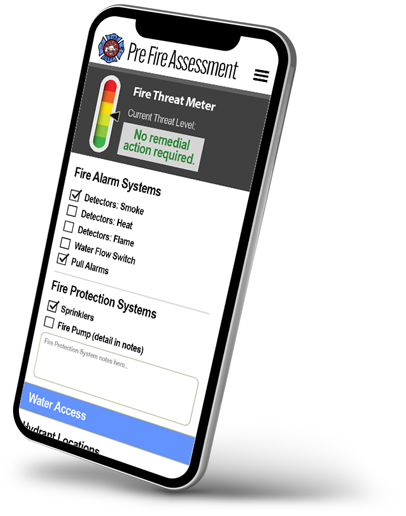
Building a mobile application for business use requires more than creating a clean interface and adding a few useful features. The application needs to support the way employees actually work, with operational workflow software helping connect tasks such as collecting information in the field, completing inspections, uploading photos, capturing signatures, processing approvals, or updating records while moving between locations.
A successful business application should make these activities easier without creating unnecessary steps for employees. It should also remain dependable when teams are working outside the office or dealing with unreliable connectivity.
Begin With Understanding The Need
The first step is understanding what the application needs to accomplish. The right operational workflow software should support these processes while fitting naturally into the way employees already complete their daily tasks.
A field inspection application may require forms, photographs, signatures, location information, and offline data collection. A service application may need scheduling, customer information, work orders, and access to business databases.
The technology should support these processes rather than forcing employees to change established workflows simply to accommodate the application.
Make Data Collection Simple
Many business applications depend on information collected by employees at the point where work happens. If entering that information takes too long, employees may skip fields, enter incomplete information, or rely on separate notes that have to be transferred later.
Mobile forms can make this process more consistent. Forms can guide users through required fields, validate information, and support different types of data such as photographs, signatures, readings, and location details.
The interface should also reflect the environment where employees will use it. Someone completing an inspection at a job site has different needs from an office employee entering information at a desk.
Large touch targets, clear instructions, limited scrolling, and logical field sequences can make a significant difference.
Plan for Offline Use
Internet connectivity cannot always be taken for granted.
Field employees may work in rural areas, large facilities, construction sites, basements, remote locations, or places where cellular service is inconsistent. An application that stops working whenever the connection disappears can quickly become a problem.
Offline functionality allows users to continue working when a connection is unavailable. Information can be stored locally and synchronized when connectivity returns. Modern offline-capable applications can also manage updates and conflicts rather than simply overwriting one version of a record.
Connect the Application to Existing Systems
A new mobile application rarely operates in isolation.
Most businesses already have databases, ERP systems, customer management platforms, accounting systems, or other software containing important information. Making employees manually transfer information between these systems defeats much of the purpose of application development.
Integration allows information to move between systems more efficiently.
Give Managers Real-Time Visibility
Collecting data is only one part of the process. Managers also need to understand what that information means.
Dashboards can turn application data into useful operational information. Managers might need to see completed inspections, outstanding tasks, approval status, service activity, performance metrics, or problems requiring attention. These capabilities are particularly useful when Custom Software for Businesses is designed around the specific information managers need to monitor.
Real time alerts can make this information more actionable. Instead of waiting for a report at the end of the day, managers can respond when an important issue occurs.
This creates a connection between frontline activity and management decisions. The information collected by employees becomes useful beyond the original task.
Conclusion
A business mobile application should be built around real work, not technology for its own sake. Start by understanding the process, simplify data collection, support offline operation, connect existing systems, automate repetitive tasks, and give managers useful visibility.
It is equally important to plan for security, future changes, different user roles, and the conditions in which employees will actually use the application.
For organizations looking to build operational applications around these requirements, Alpha Software provides low-code and no-code tools for data collection, workflow automation, reporting, inspections, integrations, and mobile applications that can operate both online and offline.
Frequently Asked Questions
1. What should businesses consider before building a mobile application?
Businesses should first identify the processes the application needs to support, the information employees need to collect, existing systems it must connect with, and whether employees need offline access.
2. Why is offline functionality important for business mobile apps?
Offline functionality allows employees to continue working when internet connectivity is unavailable or unreliable. Data can be stored and synchronized when a connection becomes available again.
3. How can mobile apps improve business data collection?
Mobile apps can simplify data collection through digital forms, required fields, validation, photographs, signatures, location information, and other features that reduce manual paperwork and duplicate data entry.
4. Can a business mobile app connect with existing software?
Yes. Mobile applications can connect with databases, ERP systems, customer management platforms, accounting software, APIs, and other systems to help information move between different parts of a business.
5. What makes a business mobile app effective?
An effective business mobile app should be easy to use, support real workflows, work reliably in different conditions, protect business information, integrate with existing systems, and provide useful information to employees and managers.