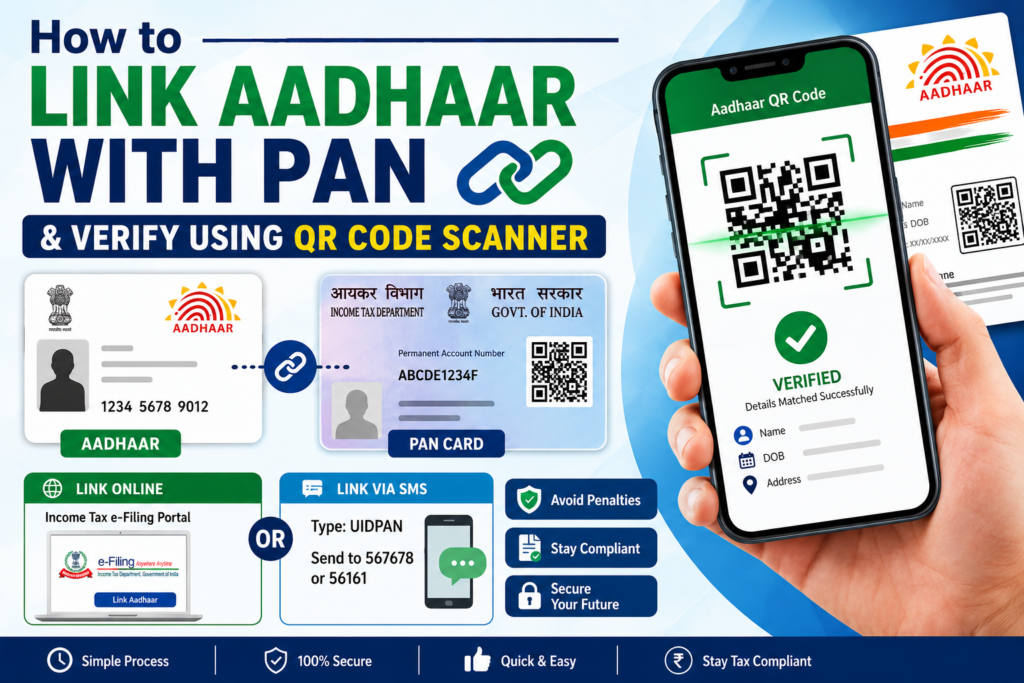
How to Link Aadhaar with PAN & Verify Using QR Code Scanner
Linking your Aadhaar with your PAN is a crucial step mandated by the Indian government to ensure transparency in tax processes and curb fraud. This process is simple, quick, and accessible to every individual. Additionally, you can verify your Aadhaar using the Aadhaar QR Code Scanner, which adds an extra layer of convenience for validating your details. If you’re wondering how to complete this process effectively, this step-by-step guide will walk you through.
Importance of Linking Aadhaar with PAN
The linkage between Aadhaar and PAN helps streamline financial systems in the country. Here’s why it’s vital:
Key Benefits
- Prevents duplication of PAN cards.
- Facilitates compliance with income tax laws.
- Helps track high-value transactions easily.
- Ensures accurate filing of income tax and receipt of refunds.
Avoid penalties or disruptions in tax filing by completing this process timely.
How to Link Aadhaar with PAN: Step-by-Step Guide
How to Link Aadhaar with PAN, Linking your Aadhaar with PAN is a straightforward process that can be completed online or via SMS. Follow these steps:
Method 1: Linking Aadhaar with PAN Online
The easiest way to link Aadhaar and PAN is through the official Income Tax Department website.
Steps:
- Login to e-Filing Portal:
- Visit the Income Tax e-Filing portal.
- Log in using your PAN number and password.
- Locate the Aadhaar Link Option:
- Once logged in, look for the “Link Aadhaar” section in your dashboard.
- Enter Details:
- Enter your Aadhaar number and other required information, such as name and date of birth (as per Aadhaar).
- Verify Details:
- Ensure the details entered match exactly with the Aadhaar database.
- Submit and OTP Verification:
- Click on “Link Now.” An OTP will be sent to the mobile number associated with your Aadhaar. Enter the OTP to complete the verification process.
- Confirmation of Linkage:
- Once verified, the Aadhaar-PAN linkage will be confirmed.
Method 2: Linking Aadhaar with PAN via SMS
If you prefer not to use the online portal, you can link Aadhaar with your PAN via SMS.
Steps:
- Open your SMS app.
- Type: UIDPAN.
- Send it to 567678 or 56161.
- You will receive a confirmation SMS once your Aadhaar is linked to your PAN.
Tip: Double-check all information before sending the SMS.
Verify Aadhaar Using QR Code Scanner
The Aadhaar QR Code Scanner is a convenient tool for verifying your Aadhaar details. Every Aadhaar card has a unique QR code that contains your basic information such as name, gender, and date of birth. Here’s how to use the QR code scanner:
Benefits of Using Aadhaar QR Code Scanner
- Verifies authenticity of the Aadhaar card.
- Quick and seamless method of validation.
- Prevents fraud by confirming details instantly.
Steps to Verify Aadhaar with QR Code Scanner
- Find the QR Code:
- Locate the QR code on your physical Aadhaar card or its digital e-Aadhaar format.
- Install a QR Code Reader App:
- Download any Aadhaar QR Code Scanner app or use mobile apps approved by UIDAI.
- Open the App:
- Launch the application and click on the ‘Scan QR Code’ option.
- Scan Your Aadhaar’s QR Code:
- Point your phone’s camera at the QR code printed on the Aadhaar card.
- View Details:
- The scanned details like name, address, gender, and date of birth will appear on your screen.
This quick verification method is especially useful for employers, landlords, and service providers who wish to confirm someone’s identity.
Key Points to Remember
- Ensure your Aadhaar card details match perfectly with those on your PAN card to avoid rejection.
- Use UIDAI’s official Aadhaar QR code scanner for safe and accurate information validation.
- Linking Aadhaar to PAN by the deadline prevents penalties and non-compliance issues.
For further details about Aadhaar processes, you can visit UIDAI’s official website.
Frequently Asked Questions
Q1: What happens if I don’t link Aadhaar with PAN?
Failure to link Aadhaar with PAN may result in the PAN becoming inactive. You would also face penalties for non-compliance as per the Income Tax Act.
Q2: How do I check the linkage status of Aadhaar with PAN?
You can check the Aadhaar-PAN link status on the e-Filing portal by logging into your account and selecting the “Link Aadhaar” option.
Q3: Can I link Aadhaar with PAN manually?
Yes, you can link Aadhaar with PAN manually by visiting an NSDL office or utilizing the SMS method.
Q4: Is scanning Aadhaar’s QR code safe?
Yes, scanning Aadhaar’s QR code using approved applications is a secure and reliable method to verify the authenticity of the card holder’s details.
Q5: Is it mandatory to link Aadhaar with PAN for everyone?
Yes, Aadhaar linkage with PAN is mandatory for all taxpayers in India except for certain exempt categories.
Final Thoughts
Understanding how to link Aadhaar with PAN and verifying Aadhaar details with a QR code scanner—including through financial platforms like Bajaj Finance—is essential for personal compliance and security. Digital tools and user-friendly processes make this task simple for all citizens. Don’t delay this necessary step and ensure smooth financial operations and tax filing.
Take charge of your compliance today to avoid future hassles. Visit the Income Tax Department’s official website to link your Aadhaar and PAN now!
Take Action Today!
- Link Now: Don’t wait for penalties—link your Aadhaar to PAN right away.
- Verify Details: Use the Aadhaar QR Code Scanner for quick validation.
Stay compliant and secure your financial future!