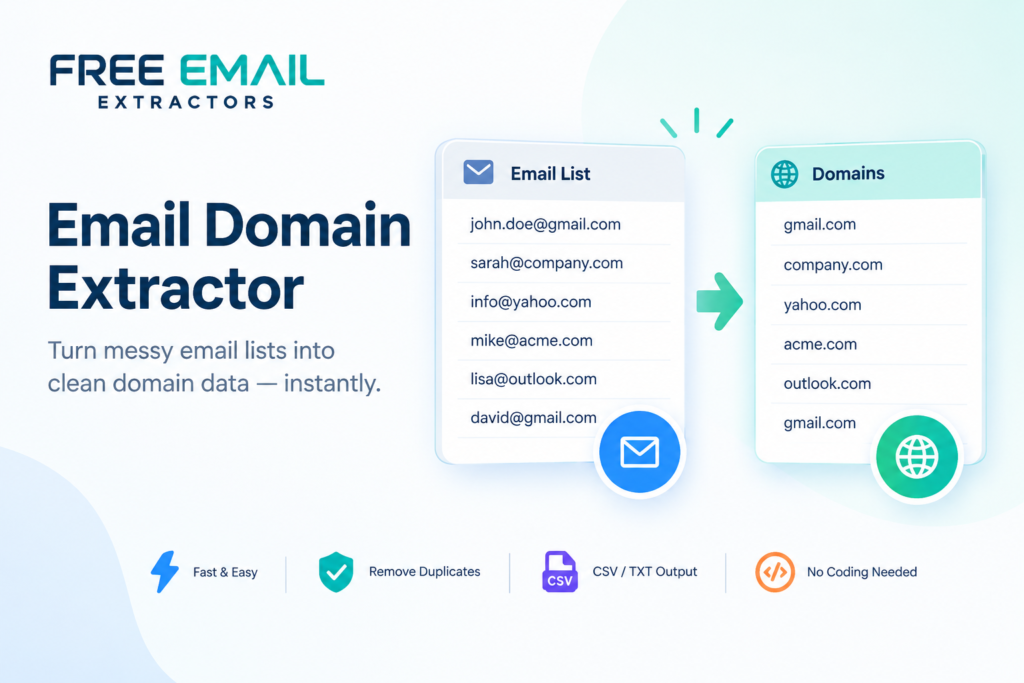
If you've ever stared at a spreadsheet full of email addresses wondering how you're supposed to pull out just the domain names, you already know the pain.
If you’ve ever stared at a spreadsheet full of email addresses wondering how you’re supposed to pull out just the domain names, you already know the pain. Doing this by hand is slow, boring, and honestly, a waste of your time. That’s exactly why an Email Domain Extractor exists — to take a messy list of email addresses and instantly split out the domain portion (the part after the “@” symbol) so you can sort, analyze, or organize your contacts in seconds instead of hours.
Whether you’re a marketer trying to figure out which companies your leads work for, a recruiter sorting through resumes, or a data analyst cleaning up a CSV file, this tool quietly does the heavy lifting so you don’t have to.
What Exactly Does an Email Domain Extractor Do?
At its core, an Email Domain Extractor reads through a list of email addresses and strips away everything except the domain — think “gmail.com,” “yahoo.com,” or a company’s own domain like “acme.com.” Instead of manually copying and pasting each address and deleting the username portion one by one, the tool automates the entire process. You paste in your list, hit extract, and within seconds you have a clean output of just the domains.
This becomes incredibly useful when you’re trying to understand where your audience or leads are coming from. If you’re managing a database of a few thousand emails, grouping them by domain can tell you a lot — like how many people are using free email providers versus corporate ones, or which businesses show up most frequently in your list.
A few things a good Email Domain Extractor should handle:
- Bulk processing of large email lists, not just one address at a time
- Automatic removal of duplicates and invalid entries
- Recognition of both personal domains (Gmail, Yahoo, Outlook) and business domains
- Clean, downloadable output (CSV or plain text) for easy reuse
- No coding or formula knowledge required to operate
Why Businesses and Marketers Rely on This Tool
Marketing teams deal with massive volumes of email data every single day. Newsletter sign-ups, gated content downloads, event registrations — it all adds up fast. Without a proper way to organize that data, it just becomes noise. That’s where the Email Domain Extractor proves its worth. By separating domains from the full email address, marketers can quickly identify which companies are engaging with their content, spot patterns in industry interest, and even flag suspicious or disposable email addresses that might be inflating their numbers.
Common marketing and sales use cases include:
- Segmenting leads by company domain for account-based marketing
- Identifying which industries or companies engage most with campaigns
- Filtering out free or disposable email domains from serious business leads
- Prioritizing outreach based on domain size or company reputation
- Building cleaner audience segments for email marketing platforms
Sales teams use it too. If you’re doing account-based marketing or trying to prioritize outreach, knowing the domain tells you a lot before you even open the email. A domain like “microsoft.com” or “shopify.com” instantly signals a potential enterprise lead, while a generic “gmail.com” or “outlook.com” address might need a different approach entirely.
The Role of an Email Username Extractor in the Same Workflow
While the domain tells you where someone is from, sometimes you need the opposite information — who they actually are. This is where an Email Username Extractor comes into play, working almost like a mirror image of the domain tool. Instead of pulling out everything after the “@” symbol, it isolates everything before it, giving you the raw username or handle tied to each address.
What an Email Username Extractor is typically used for:
- Generating a list of contact names or handles for CRM imports
- Cross-referencing usernames against internal employee directories
- Spotting naming patterns (e.g., firstname.lastname formats) across a company
- Preparing personalized outreach using extracted names
- Auditing account usernames for security or fraud checks
Combining both tools gives you a complete breakdown of your email list. You get the “who” and the “where” without touching a single line of manual code or spending your afternoon doing repetitive copy-paste work. Many professionals run their email lists through both extractors side by side, one pass for domains and one for usernames, to build a fuller picture of their contact database.
Cleaning and Organizing Data Without the Technical Headache
Not everyone knows how to write a script or build a spreadsheet formula to separate email components. And honestly, most people shouldn’t have to just to get basic information out of a contact list. This is exactly why tools like the ones offered by Free Email Extractors matter so much — they remove the technical barrier entirely.
Benefits of a no-code extraction workflow:
- Saves hours compared to manual spreadsheet formulas
- Reduces human error from copy-paste mistakes
- Works for non-technical staff across HR, sales, and marketing teams
- Speeds up onboarding for anyone new to data cleanup tasks
- Frees up technical teams to focus on higher-value work
You simply drop your list of raw emails into the tool, and it handles the extraction instantly. For anyone managing customer lists, event attendees, or subscriber databases, this kind of simplicity turns a tedious afternoon task into something that takes less than a minute.
Practical Use Cases Beyond Marketing
It’s easy to assume this kind of tool is only useful for marketing or sales, but that’s far from the full picture.
Other teams that benefit from domain and username extraction:
- HR departments — verifying whether an applicant’s email matches their claimed employer
- IT and security teams — auditing which external domains are interacting with internal systems
- Researchers and analysts — categorizing large datasets by domain for academic or market studies
- Customer support teams — grouping tickets or inquiries by company domain
- Event organizers — understanding which companies or industries attended a given event
The common thread across all these use cases is the same: nobody wants to manually sort through hundreds or thousands of email addresses. An Email Domain Extractor turns that manual grind into an automated, repeatable process that anyone can run regardless of technical skill level.
Why Accuracy Matters More Than Speed
While speed is a huge selling point, accuracy is what actually makes these tools valuable long-term. A tool that extracts domains quickly but incorrectly strips extra characters or fails on unusual email formats creates more problems than it solves.
What to look for in a reliable extraction tool:
- Correct handling of unusual formatting, spacing, and capitalization
- Consistent results across large and small datasets alike
- No data loss or corruption during bulk processing
- Regular updates to handle new domain formats and edge cases
This is why reliable platforms, like Free Email Extractors, focus on parsing emails correctly regardless of formatting quirks. Getting clean, consistent results every time is what turns a “nice-to-have” tool into something teams depend on daily.
Final Thoughts and Next Steps
Sorting through email lists manually is one of those tasks that feels small until you’re three hours into it and still not done. An Email Domain Extractor takes that burden away, giving you clean, organized domain data in seconds. Pair it with an Email Username Extractor, and you’ve got a complete, no-hassle way to break down any email list you’re working with.
If you’re tired of manually separating emails or writing clunky spreadsheet formulas just to get basic domain data, it’s time to let the right tool do the work for you.
Try the Email Domain Extractor and Email Username Extractor today at Free Email Extractors — clean up your email lists in seconds, not hours.