How Odoo KPI Tracking Features Improve Odoo Reports Dashboard
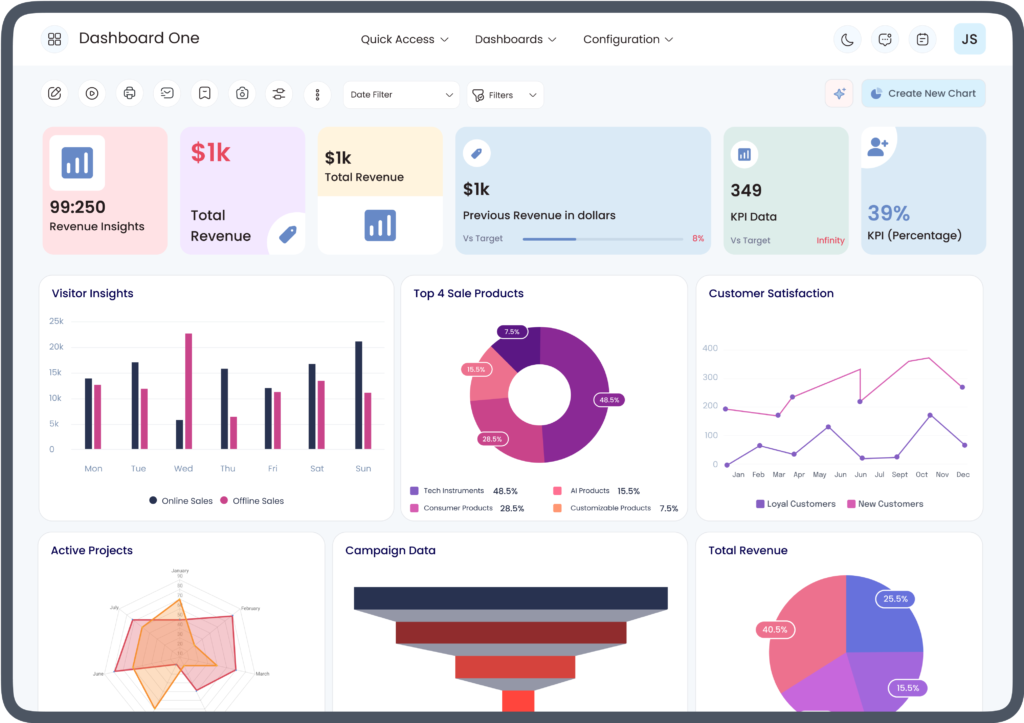
Modern businesses generate large amounts of operational and financial data every day. However, collecting data is only the first step. Businesses also need practical ways to interpret that information, monitor performance, identify changes, and support informed decision-making. This is where Odoo KPI tracking features and an Odoo reports dashboard can work together.
An Odoo reporting environment can bring business information into a centralized view, while KPI tracking helps organizations focus on measurable performance indicators. When these capabilities are structured around meaningful business objectives, managers can spend less time searching through individual reports and more time understanding what the data indicates.
This guide explains how Odoo KPI tracking features can improve an Odoo reports dashboard, what information businesses can monitor, and how to create a more useful reporting workflow.
What Are Odoo KPI Tracking Features?
Odoo KPI tracking features refer to capabilities used to monitor measurable indicators related to business performance. A KPI, or key performance indicator, is a defined measurement that helps an organization evaluate progress toward a particular operational, financial, sales, inventory, or customer-service objective.
Depending on the Odoo applications and configuration a business uses, KPI tracking can help teams monitor information such as:
- Sales performance
- Revenue and invoicing
- Outstanding receivables
- Inventory levels
- Purchase activity
- Manufacturing performance
- Website and eCommerce activity
- Project progress
- Employee-related operational information
The important consideration is not simply the number of KPIs displayed. KPIs should be relevant to the business function and presented in a way that makes the underlying information understandable.
What Is an Odoo Reports Dashboard?
An Odoo reports dashboard is a centralized reporting interface that can help users view and analyze business information. Rather than opening multiple reports separately, users can organize relevant data into a dashboard-style view.
Depending on the Odoo configuration, reporting information can include tables, graphs, pivot-style analysis, filters, and other visual representations of business data.
An Odoo reports dashboard can therefore provide a convenient starting point for reviewing performance. Instead of treating each report as an isolated source of information, businesses can organize related measurements around specific workflows or management objectives.
How Odoo KPI Tracking Features Improve Odoo Reports Dashboard
The relationship between KPI tracking and dashboard reporting is important. A dashboard provides the reporting environment, while KPIs help determine which measurements deserve attention.
1. Creates a Focused View of Business Performance
An Odoo reports dashboard can contain a significant amount of information. Without prioritization, users may find it difficult to determine which figures require immediate attention.
Odoo KPI tracking features help businesses focus the dashboard on selected performance indicators. For example, a sales team might monitor sales orders, invoiced amounts, quotations, and customer activity rather than displaying unrelated operational data.
This creates a more focused reporting experience.
2. Turns Business Data Into Actionable Information
Raw business data does not automatically explain what a company should do next. KPI tracking adds context by connecting measurements with specific business objectives.
For example, an operations manager may monitor inventory-related KPIs alongside purchasing information. If inventory levels change significantly, the manager can investigate the relevant products, orders, or purchasing activity.
The dashboard becomes more than a collection of numbers because users can use the displayed information as a starting point for further analysis.
3. Supports Real-Time or Timely Performance Monitoring
Business conditions can change quickly. Sales orders may be created, invoices issued, payments registered, and inventory updated throughout the day.
Depending on the specific Odoo application, configuration, and reporting setup, dashboards can provide timely access to updated business information. KPI tracking makes it easier to focus on the measurements that matter most.
This can help managers identify changes without waiting for manually prepared spreadsheets or periodic reports.
4. Makes Complex Data Easier to Understand
Large datasets can be difficult to interpret when presented only as rows and columns. Visual reporting can provide another way to understand patterns and relationships.
An Odoo reports dashboard can use appropriate reporting views to help users analyze information. For example, a business could examine sales activity by product, salesperson, customer, date, or other available dimensions.
When KPIs are incorporated into this environment, users can move from a high-level performance indicator toward more detailed information when investigation is necessary.
5. Helps Track Department-Specific Objectives
Different departments have different priorities. A single dashboard does not need to serve every user in exactly the same way.
For example:
Sales teams may focus on quotations, orders, invoicing, and revenue-related KPIs.
Finance teams may monitor invoices, receivables, payables, and other financial indicators.
Inventory teams may focus on stock availability, warehouse activity, and product movements.
Project teams may monitor tasks, project progress, timesheets, and deadlines.
Using relevant Odoo KPI tracking features allows an Odoo reports dashboard to become more useful for each department instead of presenting the same information to everyone.
6. Improves Trend Analysis
A single KPI value provides limited context. Comparing information across different periods can reveal whether a measurement is increasing, decreasing, or remaining relatively stable.
For example, a business may examine monthly sales activity rather than looking only at today’s sales figure. Similarly, finance teams can review receivables trends over time.
An Odoo reports dashboard can bring these measurements into a structured reporting environment, while KPI tracking helps users define the indicators they want to monitor consistently.
7. Supports Faster Identification of Performance Issues
One of the practical benefits of KPI-focused reporting is visibility. When a key measurement changes unexpectedly, users can investigate the underlying records.
For example, if sales performance changes, a manager might examine:
- Product-level sales
- Salesperson activity
- Customer orders
- Quotations
- Invoices
- Sales by period
The dashboard does not necessarily explain the cause by itself. Instead, it provides a structured way to identify where additional investigation may be required.
8. Helps Connect Different Odoo Business Applications
Odoo is designed around interconnected business applications. Depending on the organization’s implementation, sales, inventory, accounting, purchase, CRM, manufacturing, website, and project information can be connected within the broader Odoo environment.
This integration can make dashboard reporting more valuable because KPIs can be analyzed alongside related operational information.
For example, sales performance can be examined together with invoicing activity, while inventory information can be considered alongside purchasing and sales demand.
Important KPIs to Consider in an Odoo Reports Dashboard
The right KPIs depend on the organization’s objectives. A dashboard should not be overloaded simply because many measurements are available.
Common categories include:
Sales KPIs
Sales teams may monitor order activity, quotation status, invoiced sales, revenue-related measurements, and customer activity.
Financial KPIs
Finance teams may track invoices, receivables, payables, cash-related information, and other accounting indicators available through their reporting configuration.
Inventory KPIs
Inventory teams may monitor stock levels, product movements, replenishment information, and warehouse activity.
Project KPIs
Project managers may review task status, project progress, timesheet information, deadlines, and workload-related measurements.
Manufacturing KPIs
Manufacturing teams can use relevant production, work-order, inventory, and operational measurements to understand manufacturing activity.
The goal should be to select KPIs that answer meaningful business questions.
Best Practices for Using Odoo KPI Tracking Features
Define the Business Objective First
Before creating a KPI, determine what business question it should answer. A KPI without a clear purpose can create unnecessary dashboard complexity.
Keep the Dashboard Relevant
Avoid displaying every available measurement. A focused dashboard is generally easier to interpret than one containing excessive information.
Use Consistent Definitions
Teams should understand exactly what each KPI measures. Consistent definitions prevent different departments from interpreting the same measurement differently.
Add Context to KPI Values
Where appropriate, evaluate current results alongside historical information, targets, categories, or other relevant dimensions.
Review KPIs Regularly
Business priorities change. A KPI that was important six months ago may become less relevant as business objectives evolve. Periodic dashboard reviews can help maintain relevance.
Common Mistakes to Avoid
Businesses sometimes make their reporting dashboards less effective by focusing too heavily on visual presentation instead of business usefulness.
Common mistakes include:
- Adding too many KPIs
- Tracking measurements that do not support business objectives
- Using inconsistent KPI definitions
- Ignoring data quality
- Failing to review dashboard permissions
- Creating dashboards without considering user roles
- Relying on a single metric to explain complex performance
- Not investigating the underlying records behind KPI changes
A visually attractive dashboard is not necessarily an effective reporting system. The quality and relevance of the underlying information remain essential.
Odoo Reports Dashboard and Data-Driven Decision-Making
A well-structured Odoo reports dashboard can give managers a centralized view of important business information. When combined with Odoo KPI tracking features, the dashboard can help users move from general reporting toward focused performance monitoring.
For example, a manager may begin by reviewing a sales KPI, identify a change in performance, filter the relevant reporting data, and then examine the underlying transactions. This creates a logical path from KPI → analysis → investigation → business action.
This approach supports data-driven decision-making without assuming that a single KPI can explain an entire business situation.
How to Build an Effective KPI Dashboard in Odoo
A practical implementation can follow these steps:
Step 1: Identify business goals
Determine the operational or strategic objectives the dashboard needs to support.
Step 2: Select relevant KPIs
Choose measurable indicators directly connected to those objectives.
Step 3: Identify reliable data sources
Determine which Odoo applications and records provide the information required for each KPI.
Step 4: Configure appropriate reports
Use suitable reporting views, filters, groupings, and visualizations.
Step 5: Organize the dashboard by user needs
Create focused reporting experiences for different departments or management roles.
Step 6: Validate the information
Check whether KPI calculations and underlying records produce the expected results.
Step 7: Review and improve
Monitor whether users can understand and act on the information presented.
E-E-A-T Considerations for Odoo Reporting
From an E-E-A-T perspective, content about Odoo reporting should avoid treating every dashboard configuration as universal. Odoo functionality can vary according to the version, installed applications, configuration, access rights, customizations, and third-party modules.
Businesses should therefore validate specific functionality against their own Odoo environment and official product documentation before implementing a reporting workflow.
Experience also matters. A useful dashboard should reflect actual business processes rather than simply placing numerous metrics on one screen. Expertise involves selecting appropriate KPIs, understanding the data behind them, and ensuring that users can interpret the results correctly.
Final Thoughts
Odoo KPI tracking features and an Odoo reports dashboard can work together to create a more structured approach to business performance monitoring. KPI tracking helps organizations identify the measurements that matter, while dashboard reporting provides a centralized environment for reviewing and analyzing those measurements.
The most effective approach is not to display the maximum number of KPIs. Instead, businesses should select relevant indicators, use reliable data, organize dashboards around user needs, and provide enough context for meaningful analysis.
When thoughtfully configured, an Odoo reports dashboard can turn business information into a practical reporting resource that supports ongoing monitoring, investigation, and informed decision-making.